 WebEaze
See it live in your portal
You can view your analytics directly in your portal. Choose Site report in the menu for live traffic, Google Search data, keyword rankings, and where you rank, all in one place.
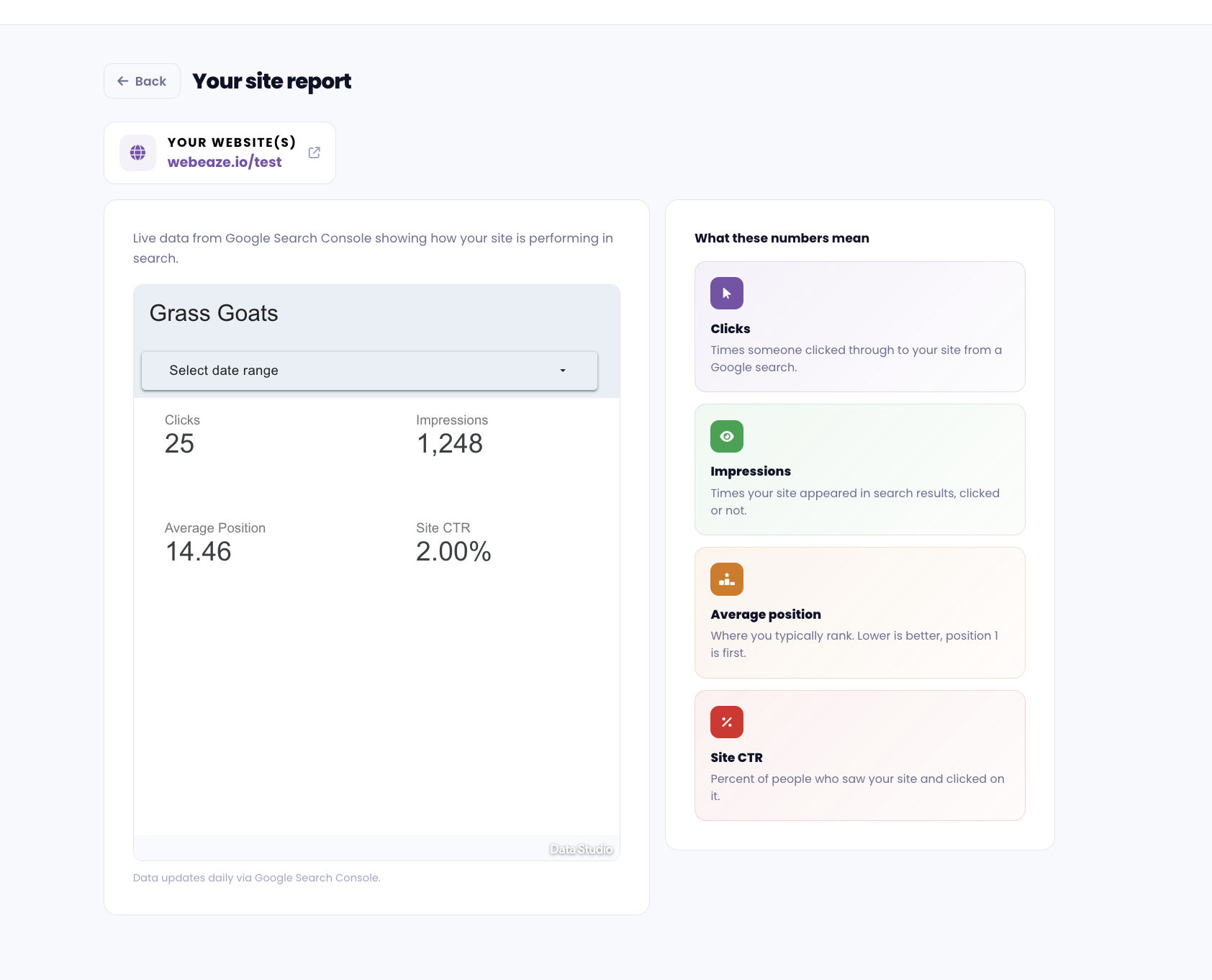
On this page, you'll find a report that summarizes the key metrics of your website's performance and any actions you should take. You can also find your URL and things we took care of related to it, leads counter, site speed, and more.
See it in Google Analytics
Use Google Analytics to find your website's analytics. These metrics a bit more detailed but they can be understanding and overwhelming for some. Here are the key metrics to focus on:
- Users: The number of unique visitors to your website.
- Sessions: The total number of visits to your website, including repeat visits from the same user.
- Bounce Rate: The percentage of visitors who leave your website after viewing only one page. A high bounce rate may indicate that your website isn't engaging or relevant to your audience.
- Average Session Duration: The average amount of time visitors spend on your website. A longer session duration may indicate that your website is engaging and informative.
- Traffic Sources: The channels through which visitors are finding your website, such as organic search, social media, or direct traffic.
- Top Pages: The pages on your website that are receiving the most traffic. This can help you identify which content is resonating with your audience.