 WebEaze
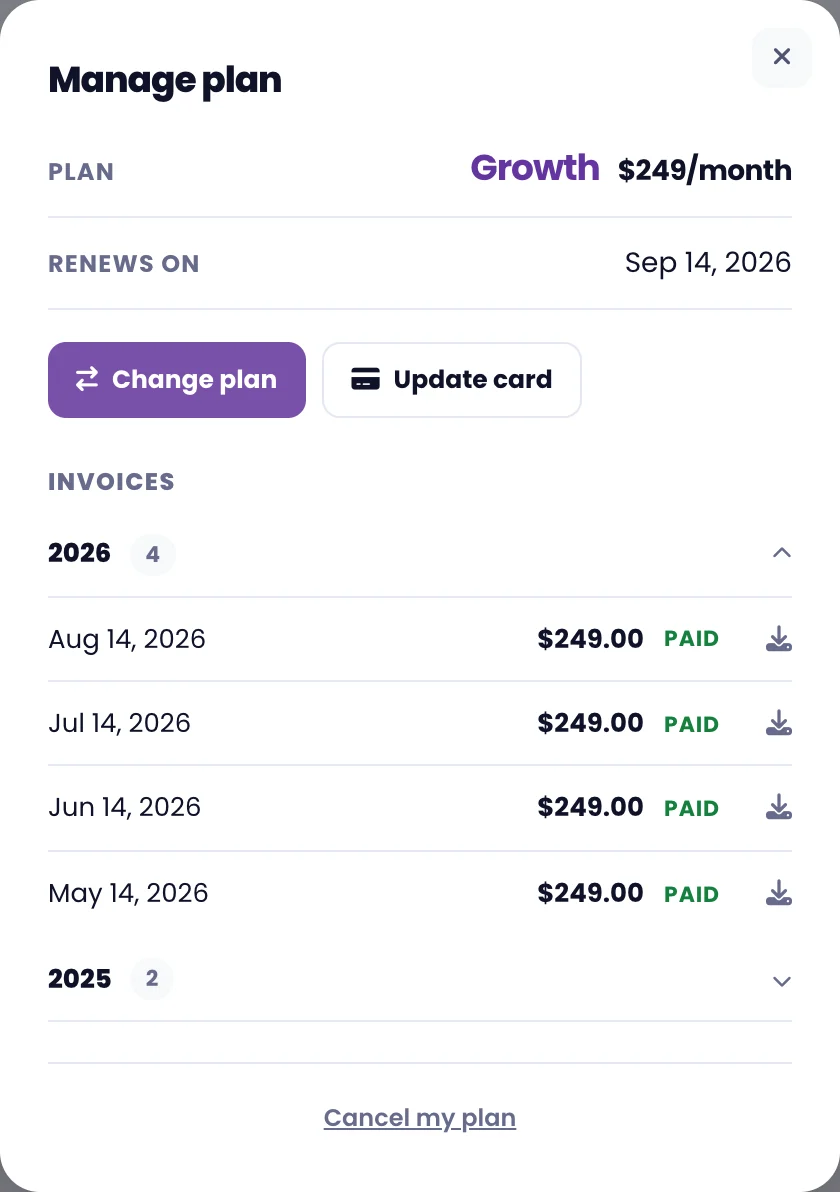
Everything to do with your plan lives in one place. Go to your portal and select in the top right corner. Then open Your plan > Manage plan.
What you'll see
Your current plan and price, your account status, when it renews, and every invoice we've ever sent you. Your page allowance is under Your website in the same menu.
Change your plan
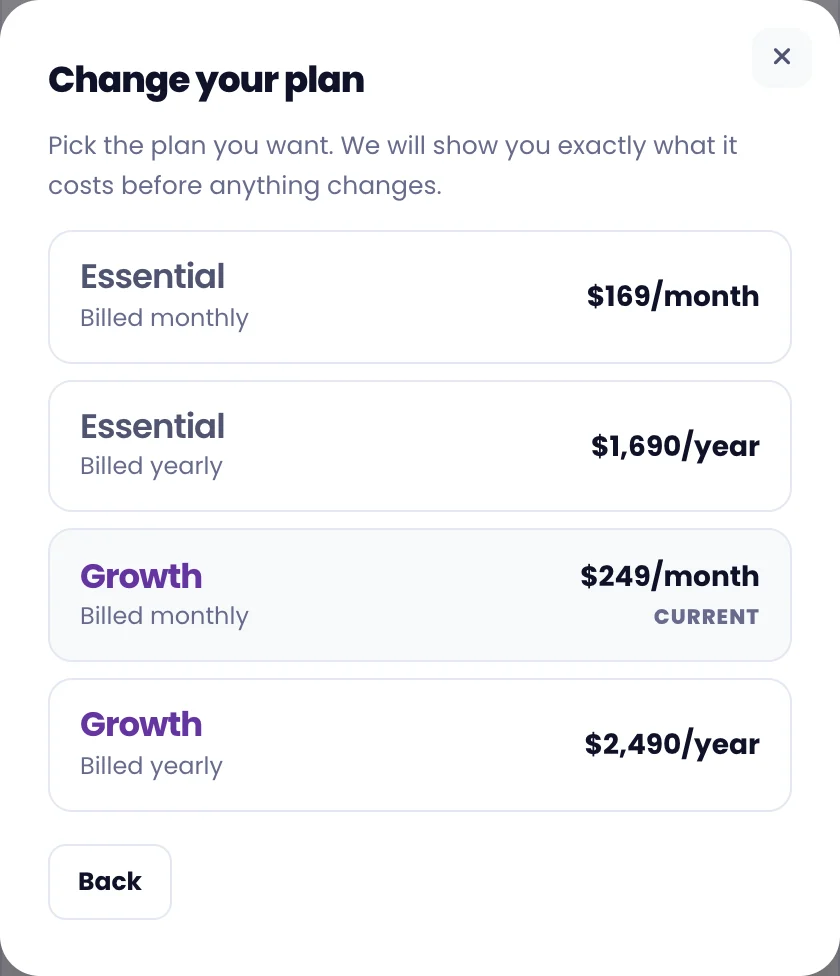
Select Change plan, then pick the plan you want. We'll show you exactly what it costs before anything changes. See Can I change my plan? for how upgrades and downgrades work.
View past invoices
Your invoices are listed under the plan details, grouped by year. This year is open by default. Select any year to expand it, and use the download icon to save an invoice as a PDF for your records.
Update your card
Select Update card. That takes you directly to our payment processor, Stripe, on the page for storing a new card. Your card details are held by Stripe and we never see them.
If a payment fails, you'll see a prompt in your portal with the same button.
To change the email you sign in with, open Sign-in details in the same menu and select Change next to your email. We'll send a link to the new address to confirm it. Contact us if you no longer have access to your email address.