 WebEaze
There could be a few reasons why your website feels slow to load.
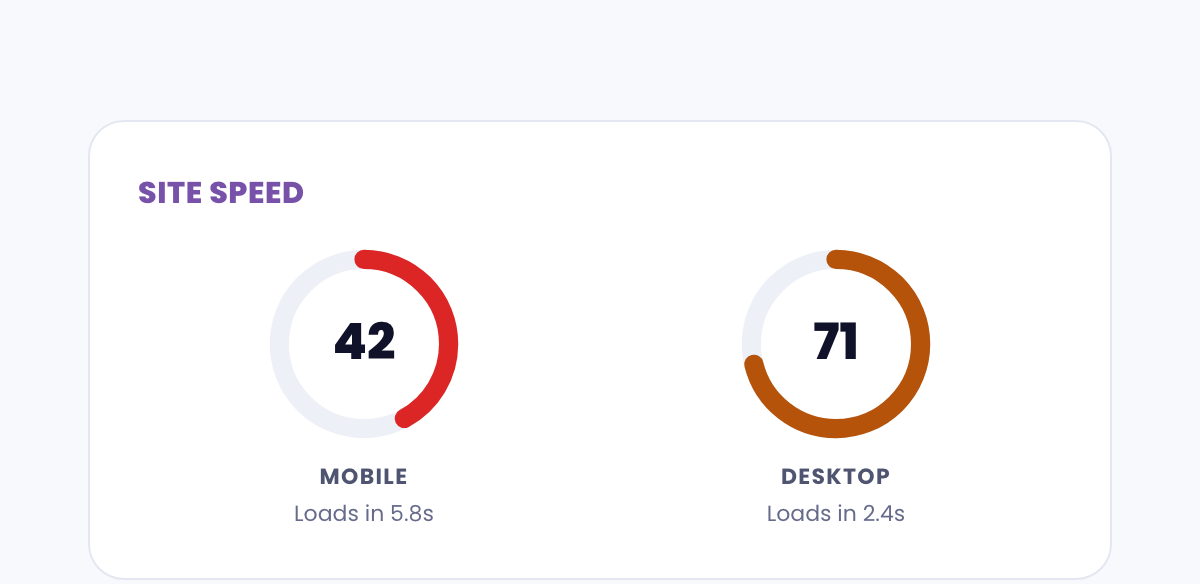
Your plan includes performance monitoring and you'll find metrics under Site report in the menu.
Common reasons a site feels slow
- Large images: Photos that aren't compressed can add seconds to load time. We optimize images during the build, but if you've uploaded new ones recently, they may need resizing.
- Your internet connection: Test your site on a different network or device to confirm the issue is with the site and not your connection.
- Browser cache: Your browser stores a local version of your site. Sometimes cached files cause pages to feel slow or behave strangely. Try clearing your cache first.
- Third-party embeds: Embedded videos, maps, or social feeds load from external servers and can add to load time.
- Temporary server conditions: Occasional slowdowns can happen due to hosting load. These are usually brief and self-resolving.
How to test your site speed
Use Google's free PageSpeed Insights tool at pagespeed.web.dev. Enter your site URL and check both mobile and desktop results. It'll show your score and suggestions.
What to do next
If you're experiencing consistent slowness, submit a request and describe what you're seeing. Include the URL, the device you're on, and approximately when it's slowest. We'll investigate and make optimizations.
Your monthly site report