If you subscribe to a WebEaze plan and already have a website you want us to take over or update, here is exactly what to expect. Every existing-site client receives four emails as we move through the onboarding process.

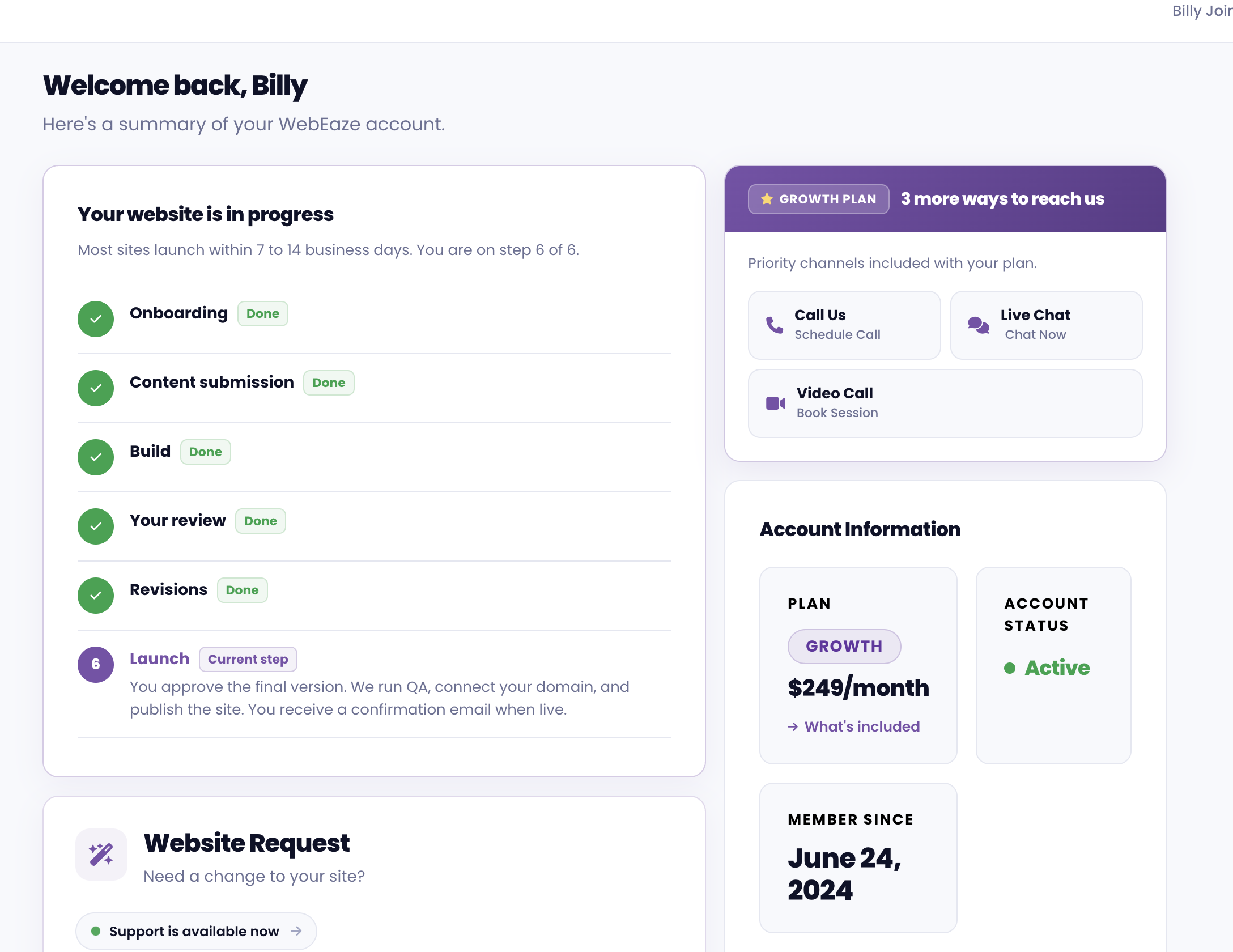
You can also follow along with every step right inside your client portal, so you always know exactly where your website is in the onboarding process without having to wait for an email.

The onboarding process tracker inside the WebEaze client portal, showing each step of your website setup

Email 1: Subscription Confirmation

Sent immediately after sign-up. This email confirms your subscription is active and welcomes you to WebEaze. It sets expectations for the steps ahead and lets you know we'll be in touch shortly.

What to do: Add support@webeaze.io to your contacts so our emails reach your inbox, not your spam folder.

Email 2: Access and Asset Request

Sent after the welcome email. We request everything we need to begin work on your existing site:

  • Website login credentials (WordPress admin, Wix, Squarespace, etc.)
  • Hosting and domain account credentials or collaborator access
  • Logo and brand files
  • Photos or visual assets you want used
  • A written list of the changes or updates you want made

See how to send us website access and how to share credentials securely for step-by-step instructions.

What to do: Gather and send everything as completely as possible. Partial access or missing assets will delay the start of work.

Email 3: Work Underway

Sent once we have received your assets and work has started. This is a brief update confirming your site is in active development. We include an estimated completion window based on the scope of what you requested.

What to do: No action needed. If anything comes to mind while we work, submit it through the client portal so it is tracked and nothing gets missed.

Email 4: Updates Complete

Sent when the requested work is finished. This email summarizes what was done and invites you to review and share any feedback. Once you confirm everything looks good, your site transitions into ongoing website management under your plan.

What to do: Review the changes on your live site. If anything needs adjusting, reply to the email or submit a request through the client portal.

After onboarding: All future changes are requested through the client portal. See how to request ongoing updates for details on how that works.