 WebEaze
It depends on how your website is hosted. For the majority of our clients, we build and host the website via GitHub Pages, which doesn't provide a traditional login or editor access. In these cases, all business operator(s) must submit requests through your client portal.
For websites we build/manage with Wix, Squarespace, and similar platforms, you'll have the option to create user accounts with editor access. This allows team members to log in and make changes directly within the platform's editor. Each platform has their own way of managing user permissions.
Can a team member submit requests?
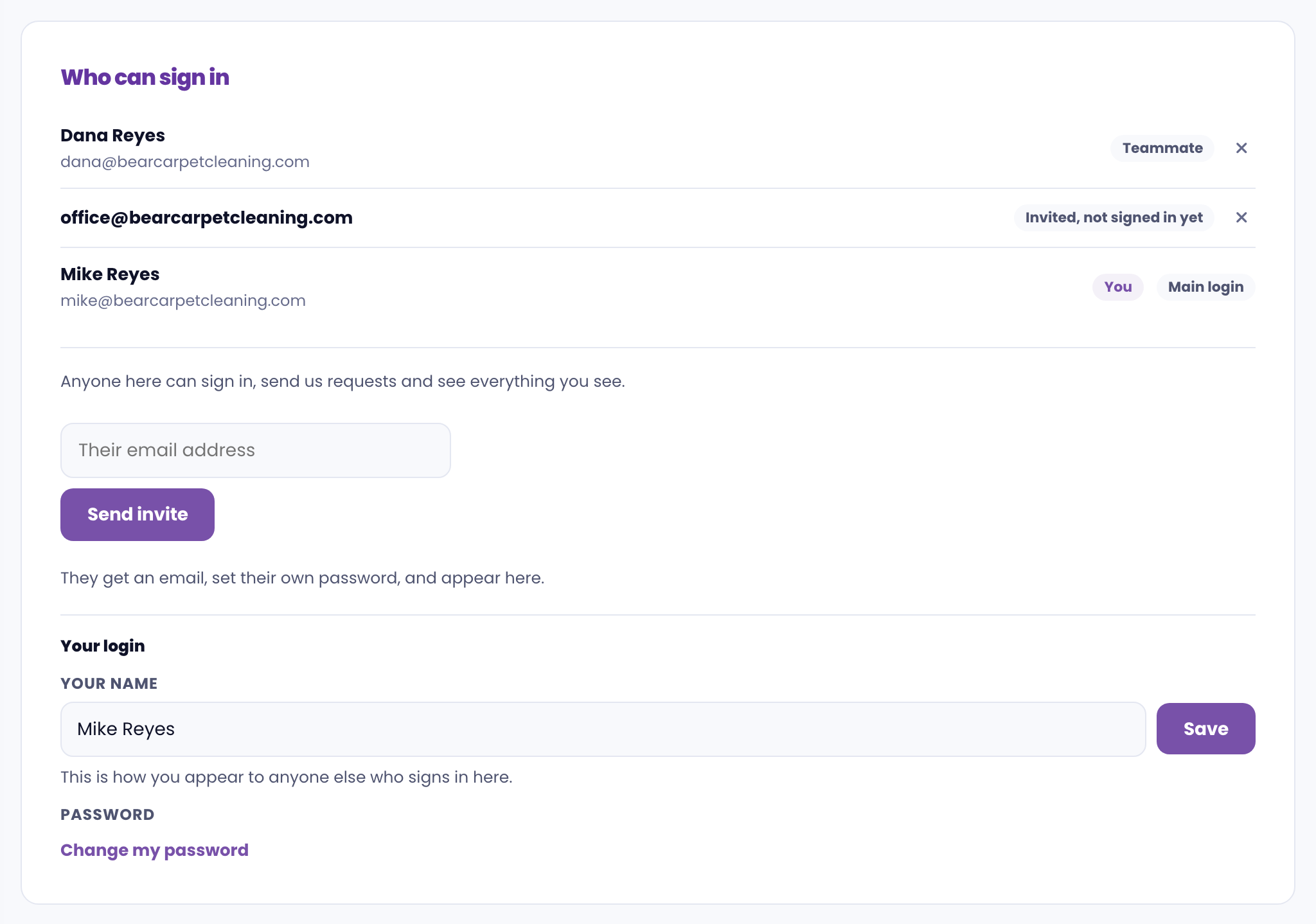
Yes. Give each person their own login. In your client portal, select in the top right corner, open Who can sign in, and add their email under Add someone. They'll get an email to set their own password. Only the main login can add or remove people.
Teammates can send requests, reply to messages and see everything you can, apart from your card details. You'll also see when each person was last active.
What about admin or backend access?
We don't share backend access to your site's hosting or CMS as a general practice. Unauthorized edits to templates, plugins, or code are a common source of site breakage. See Can I manage my own website? for more on what is/isn't recommended.
Transferring account ownership
If you need to transfer your WebEaze account to another person or business, see Account Transfer. This applies if you sell your business or want someone else to take over the billing and communication. Don't cancel or create a new account if you're transferring ownership.