 WebEaze
Your Client Portal includes a live site report and a set of growth tools that show how your website is performing. Plus, you'll find insights into where your next customers will come from, and more.
Find it in your Client Portal, under Site report in the menu.
Search performance
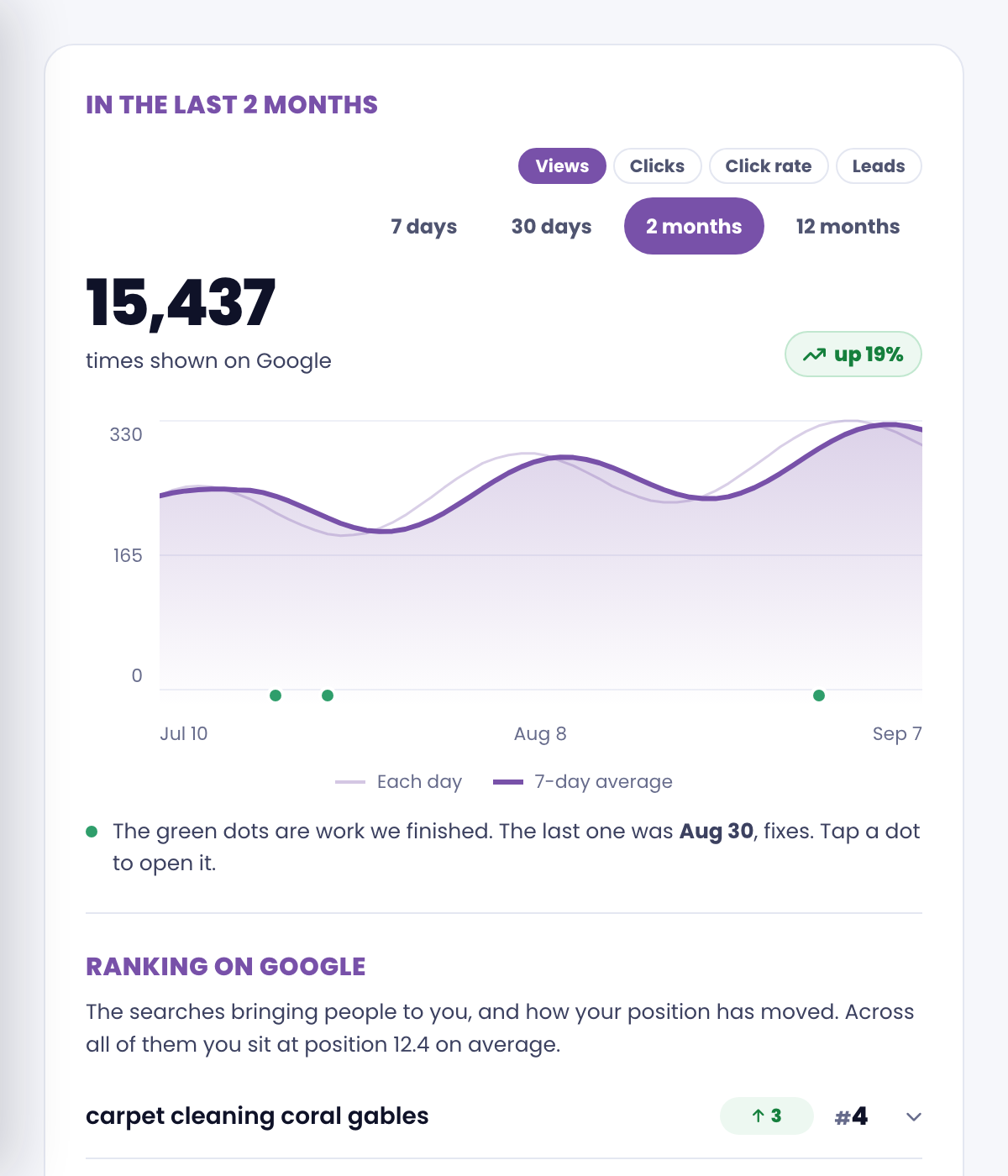
You'll see live data: how often your site shows up in search, how many people click, and the exact searches bringing people to you with how your position has moved. Search and rankings are one card now, so the whole picture is in one place.
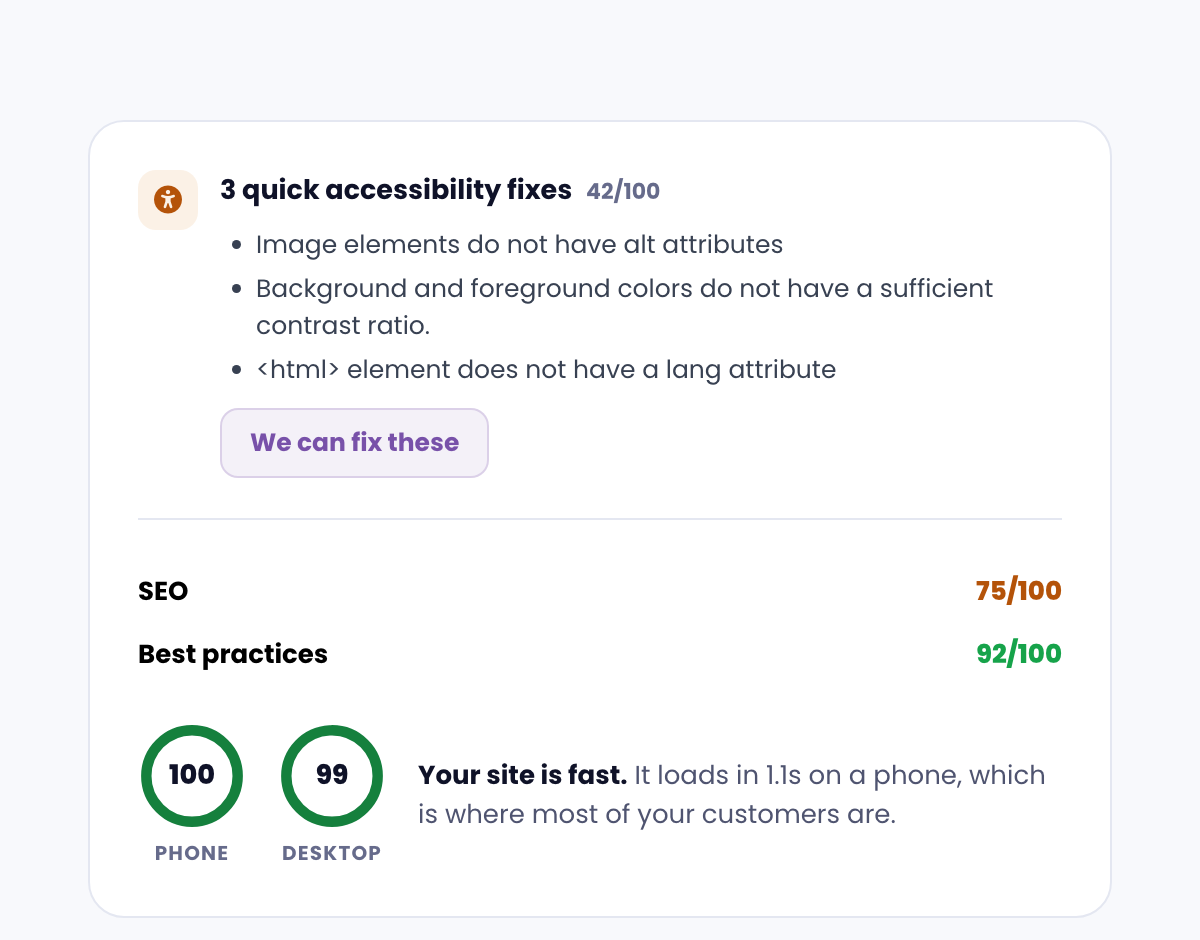
Your site scorecard
How your site is doing technically: speed, accessibility and search basics. When your speed is already strong we keep it to a line so the things worth acting on come first. Your reviews now have a card of their own, just below.
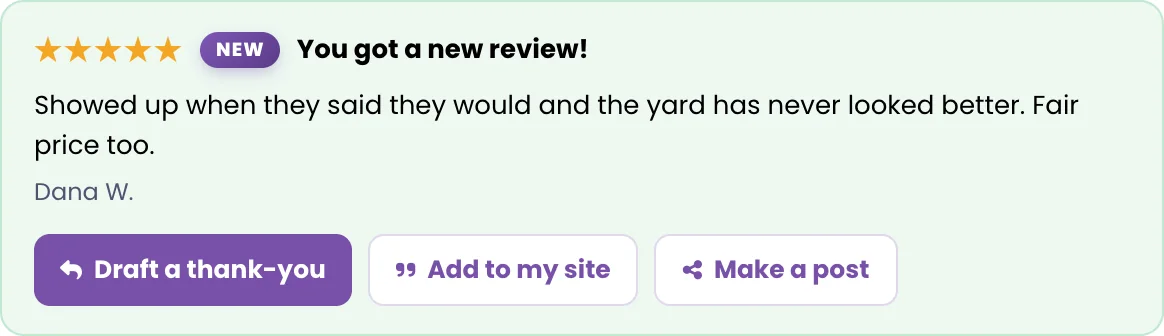
Review radar
We keep an eye on your Google reviews so new ones don't slip by. Staying on top of reviews is one of the fastest ways to win more local trust.
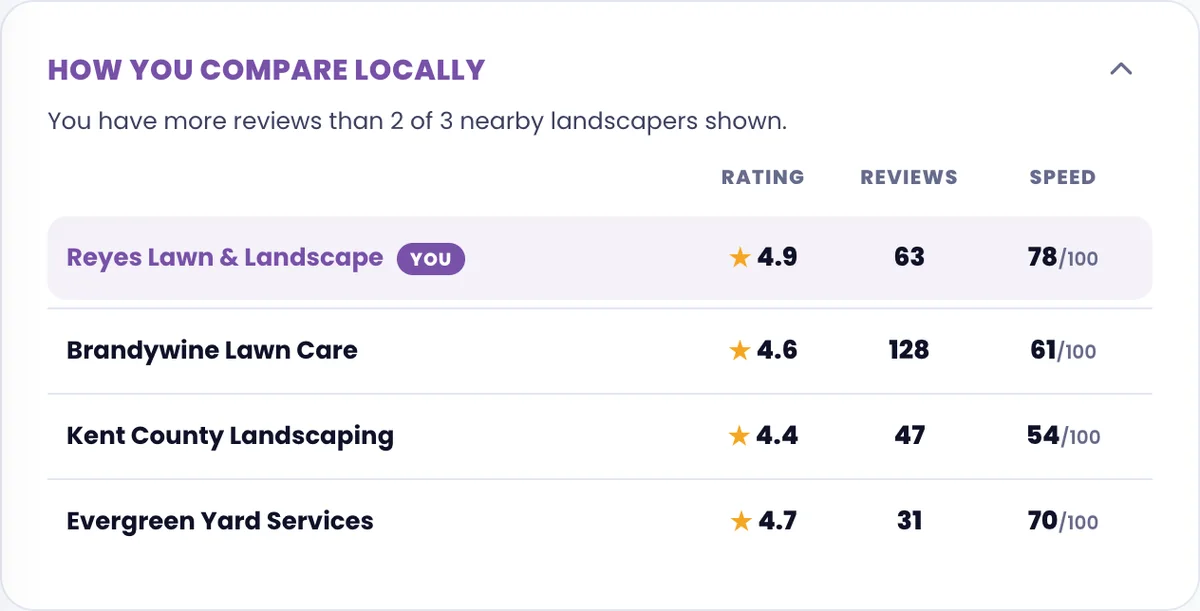
Compare locally
See how you stack up against similar businesses nearby, so you know where you lead and where there's room to catch up.
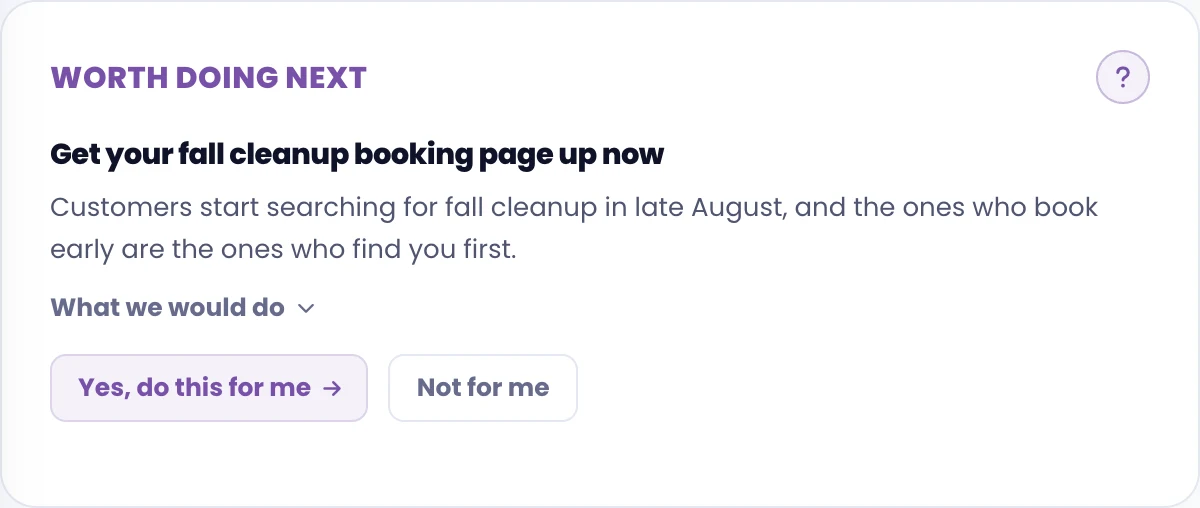
Worth doing next
One suggestion at a time, drawn from your own site and search data, plus seasonal ideas worth acting on around now. We put the most valuable one in front of you rather than handing you a list to sort through. Choose What we'd do to see exactly what we'd change, then Yes, do this for me to file it as a request, or Not for me to bring up the next one.
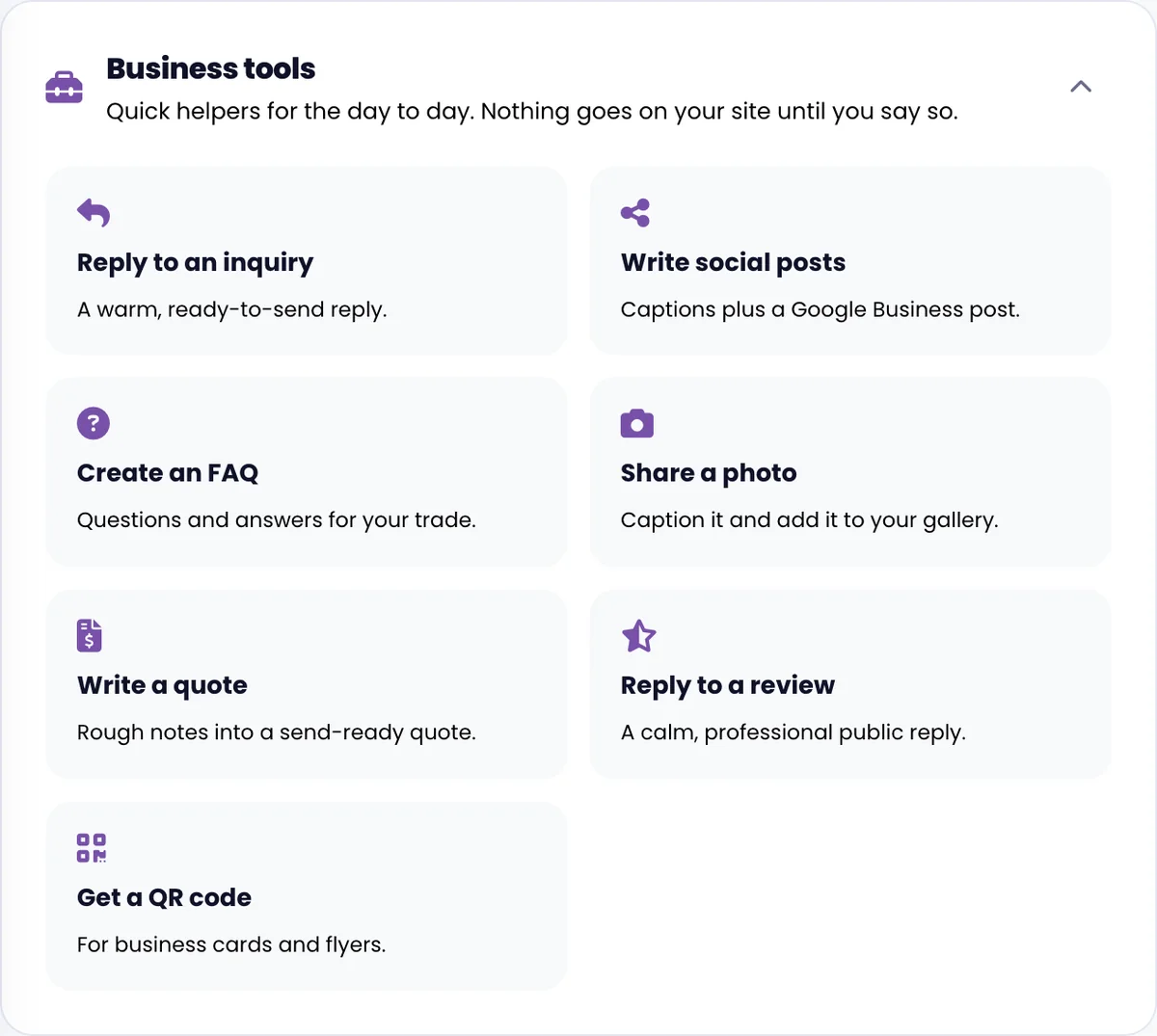
Business tools
A handful of practical extras built into your portal, including a QR code generator that points customers directly to your site or reviews.
More features are coming soon!