 WebEaze
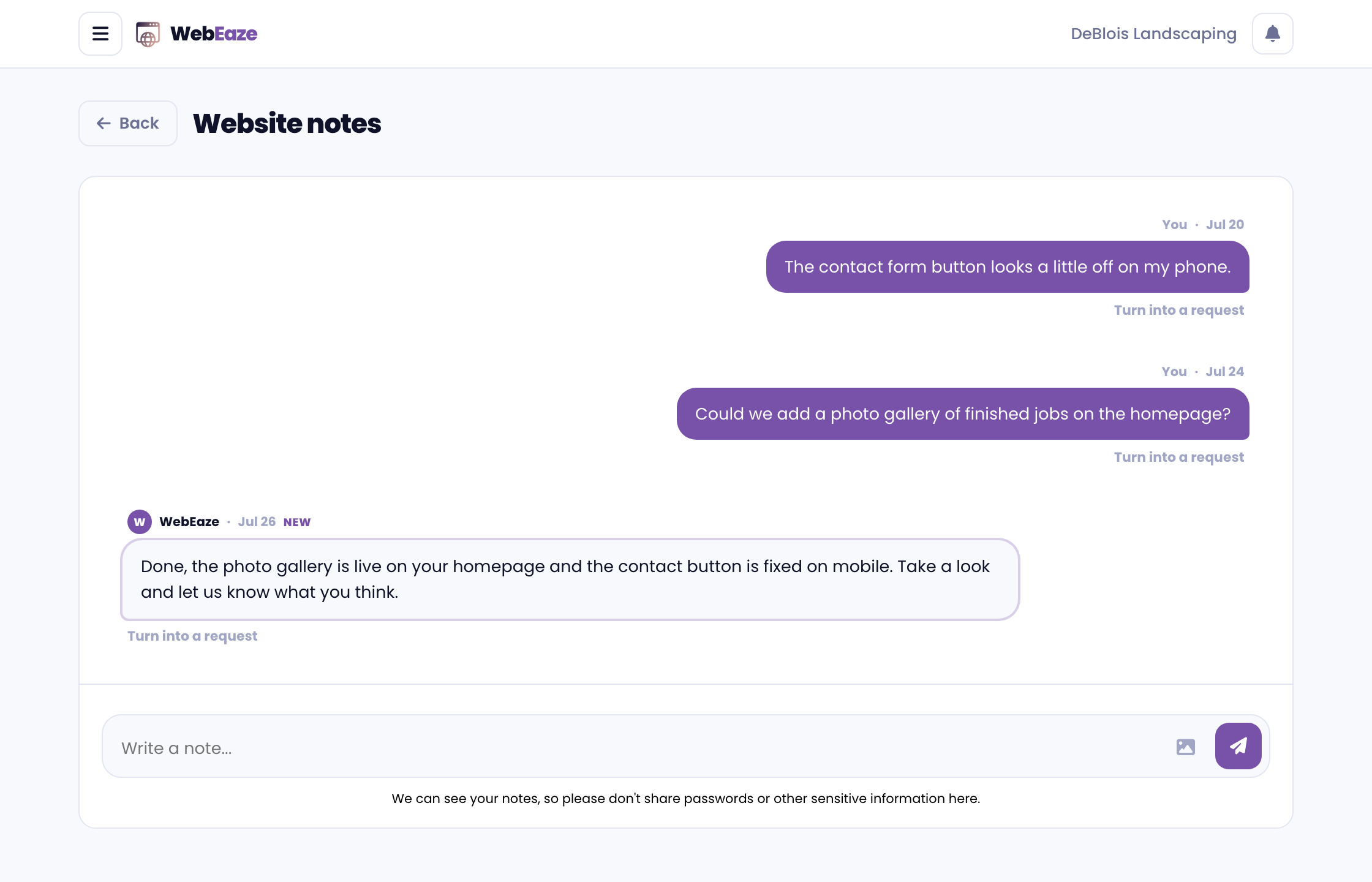
Website notes are a shared space in your Client Portal where we post updates about your website and account, and where you can jot down anything you want to remember or want us to know.
What is this for?
This is easier than emailing back-and-forth. Everything lives in one place, so you can reference it any time.
Your notes and ours sit side by side, making it easy to keep track of everything. We know your email inbox can be crowded.
Where to find your notes
Go to your client portal > Menu > Website notes. You will see a conversation style interface where you can view and add notes.
From WebEaze
We'll add notes related to your website/acount such as:
- Updates about your website or account
- Reminders about pending tasks
- Information about new features or services
Add your own
Use the text box to submit a note and press the button to share. Attach images/files if needed.
Notes are a good for things like "Reminder: ask about adding a holiday banner next month" or "Here is the new team photo for the About page."
Turn a note into a request
If a note is something you'd like us to help with, select Turn into a request on that note. You don't repeat yourself.
How does this help me?
Keeping updates and reminders in one place means less digging through email, a clear record of what was shared, and an easy way to submit requests. Just another way to add simplicity.